About Me

My photo
I make toys for kids who don't want to grow up. I'm on the lookout for new projects. If you're interested in commissioning me to build something ridiculous, shoot me an email.
Showing posts with label Second Sister. Show all posts

Sunday, December 27, 2020

Second Sister Costume from Jedi: Fallen Order Part 3: Finishing and Lighting the Hard Parts

If you're just tuning in, this is the third entry about building this  costume:
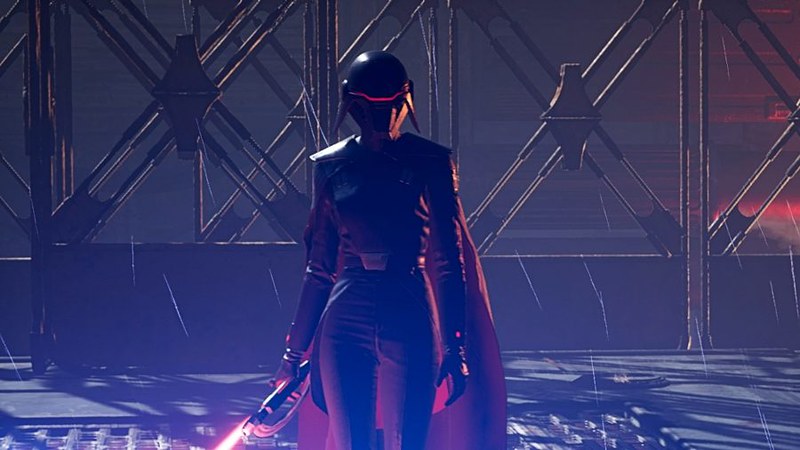
In-Game screenshot

This is the Second Sister from the video game Jedi: Fallen Order.  An Imperial Inquisitor on a mission to hunt down the remaining Jedi sometime between Order 66 and the beginning of A New Hope, I've been stalled out playing the game because I'm a terrible gamer and can't fight my way past her.  So I only play for a few minutes a week when I feel like getting beaten and abused by a woman dressed in black and knee-high boots.

But that's an issue for another time...
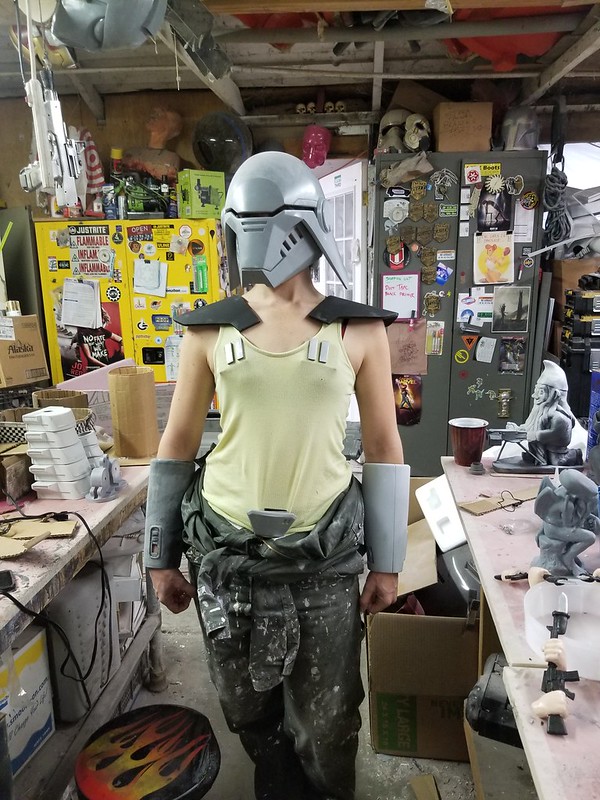
In my first article about this build I wrote about making the helmet from the in-game models.  In the second article, I covered the making of the bracers, shoulder armor, belt buckle, and rank bars.  At that point though, they still didn't quite look right for some reason.  Here's my assistant Rachel trying them on:
Awkward Test Fitting
Still much to do.

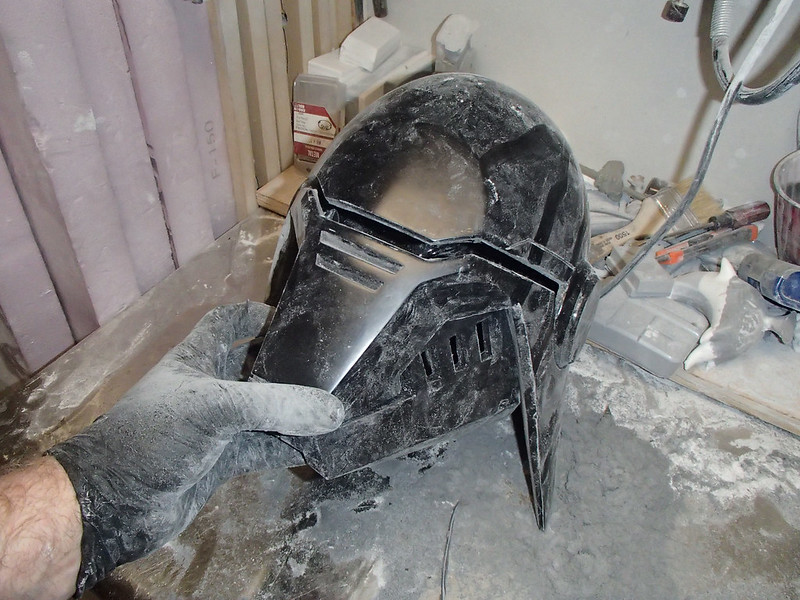
I didn't end up writing in much detail about the actual trimming and prep work.  Mostly because it's not very interesting, but also because I tend to forget to take pictures during the process.  Largely because I look like this:
Noisy Dusty Room

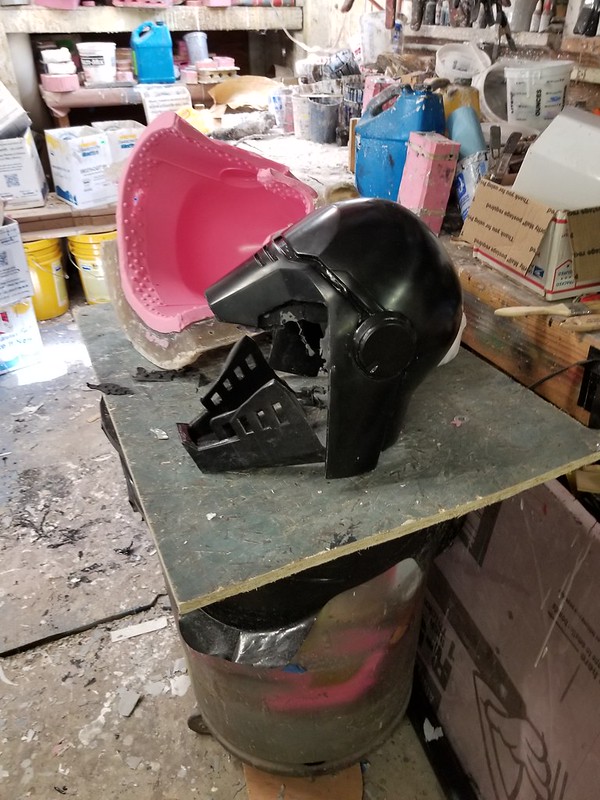
In any case, the helmet looked like so when it came out of the mold:
First cast is successful.

The first step in getting it wearable is to set myself up with one of these cutoff wheels on the rotary tool:
Cutoff Wheel

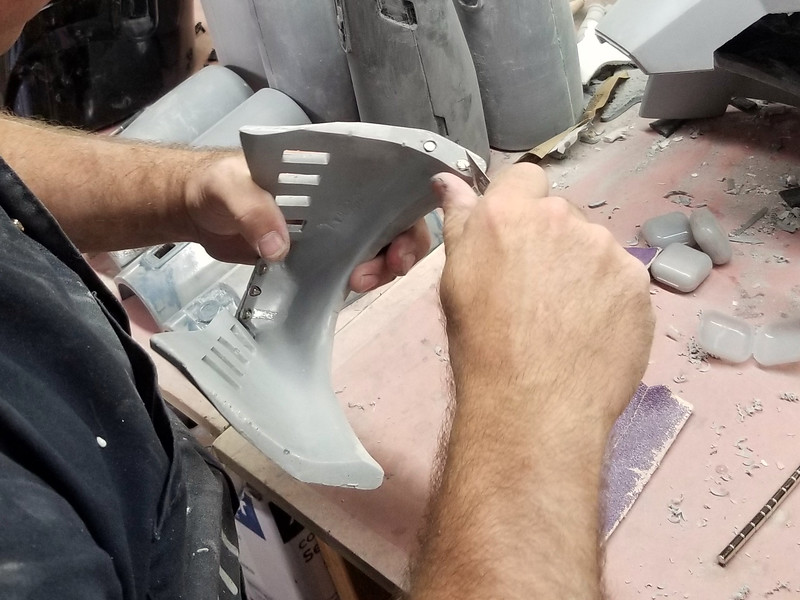
I used that to very carefully cut out the eye slit and hack off most of the excess flashing around the bottom of the helmet.  With the inside edges trimmed, I could fit the jaw back into place again:
Helmet Trimming

Fine tuning the edges was done with a medium grit (probably 120, but I don't pay attention) sanding drum.  Like this one:

Sanding Drum
 
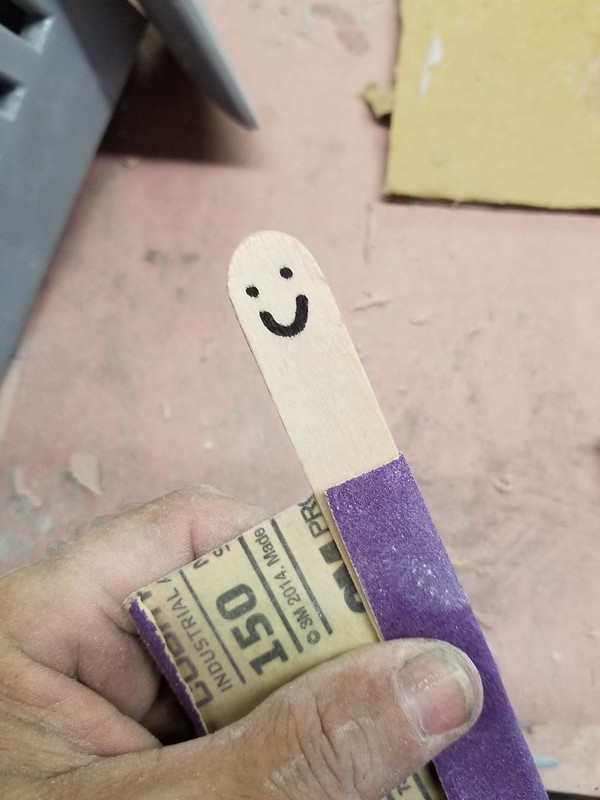
That little guy managed to do most of the work shaping the rough edges into something smooth-ish.  But for really fine work in the tight corners, it was time to enlist Mr. Mixing Stick:
Mr. Popsicle, Sanding Assistant

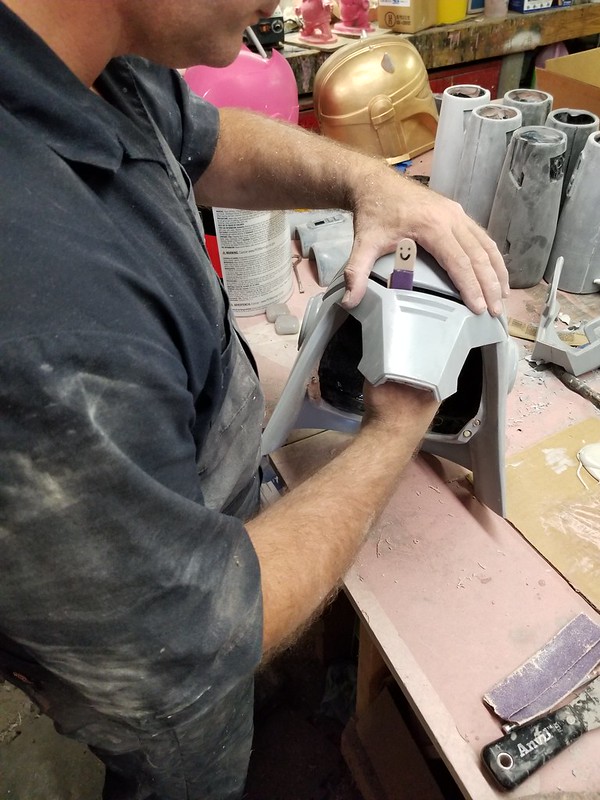
Mr. Mixing Stick fits in where the sanding drum can't and makes everything better along the way:
Mr Popsicle Sanding

Because the neck hole is too small for most adult human heads to fit through, the jaw needs to remain detachable.  Since the wearer would be wearing gloves and possibly have a hard time trying to hook up latches or velcro or whatnot, I decided this was a great job for magnets.  To install them, I started by drilling 1/4" holes at the back of the jaw on either side:
Drilling Magnet Holes in Jaw

Then I dripped in a couple of drops of CA glue:
Glue in Magnet Holes

Finally, I inserted some neodymium magnets into each hole:
Inserting magnets

Lastly, I trimmed off any excess glue to leave the bare surface of the magnets exposed:
Trimming excess glue

I also added three magnets to the front of the jaw where it would meet the snout of the helmet:
Jaw with Magnets Installed

Matching magnets were then installed on either side of the helmet where the jaw meets the ear flaps:
Matching Magnets in Helmet Skirt

They were also installed in the snout as well:
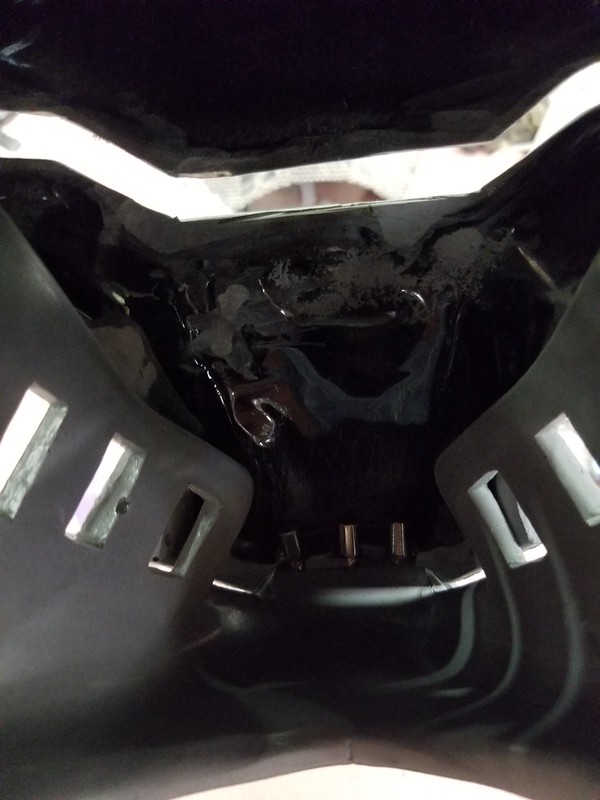
Matching Magnets in Snout

All told, I used seven pairs of magnets to hold everything together.  This made for a pretty secure connection that could be pulled apart by hand but wouldn't fall off in the course of walking around or shaking her head.


Lighting the Visor

In the game the eye slit has a soft red glow to it.  Getting something to be see-through as well as illuminated can be a bit of a challenge.  This usually involves cheating by hiding eye holes somewhere else and letting the wearer see out of the helmet through trickery and deception.  Given the close fit and lack of details to hide eye holes in, I had to work out a way to see out through the lighted slit instead.  

I started by cutting out a piece of 1/4" acrylic sheet and heating it up until I could bend it into place inside the helmet.  Then I used a hacksaw blade to scratch a quick and dirty crosshatching pattern into the inner surface:
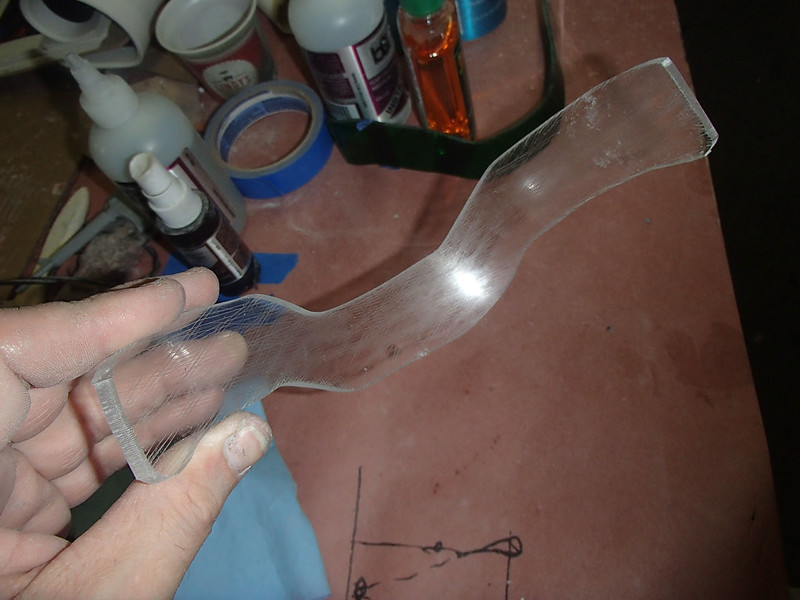
Helmet Visor Cut and Etched

Then I soldered up an LED array that was glued into place to edge-light the sheet:
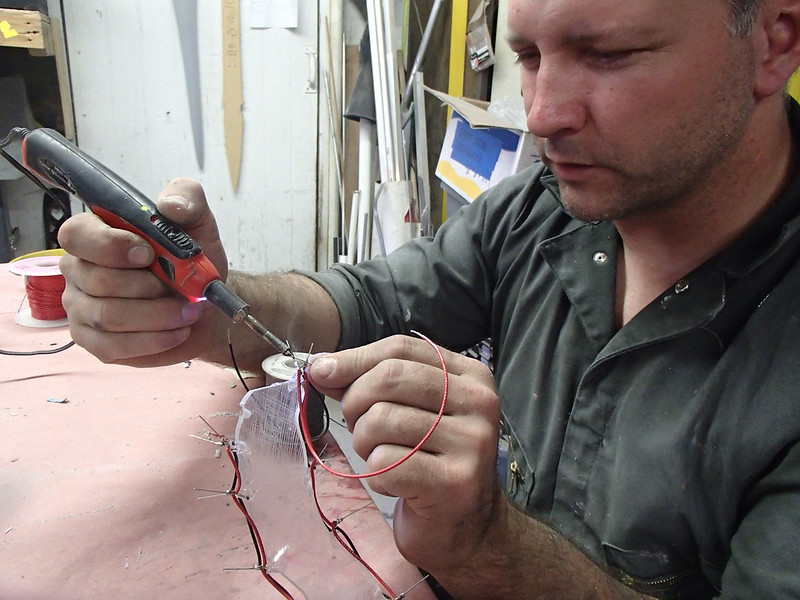
Helmet Lighting Soldering

When it was powered up, the scratched lines picked up the light pretty well:
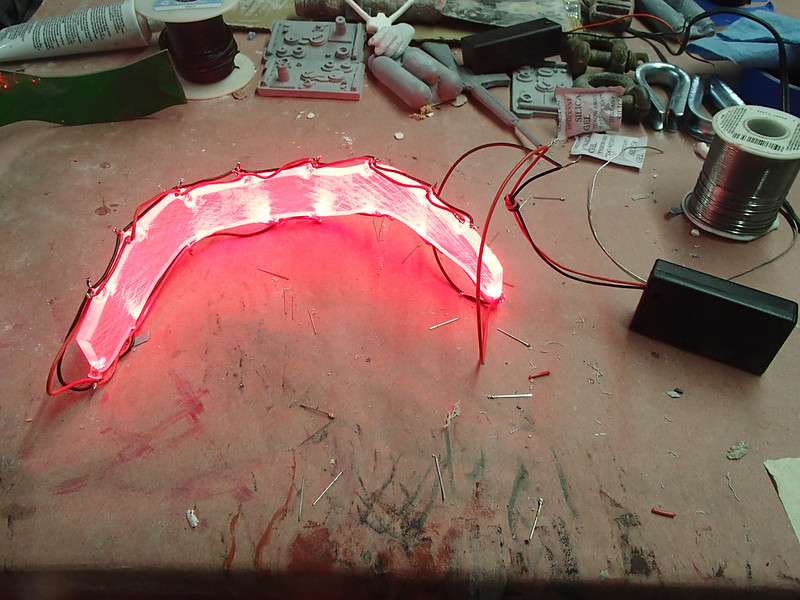
Helmet Lighting Test Illuminated

As you might expect, this is a lot of light inside the helmet and makes visibility hard for the wearer:
Helmet Lighting Test Installed

To make sure she wouldn't be blinded by the light, revved up like a deuce, another runner in the night...
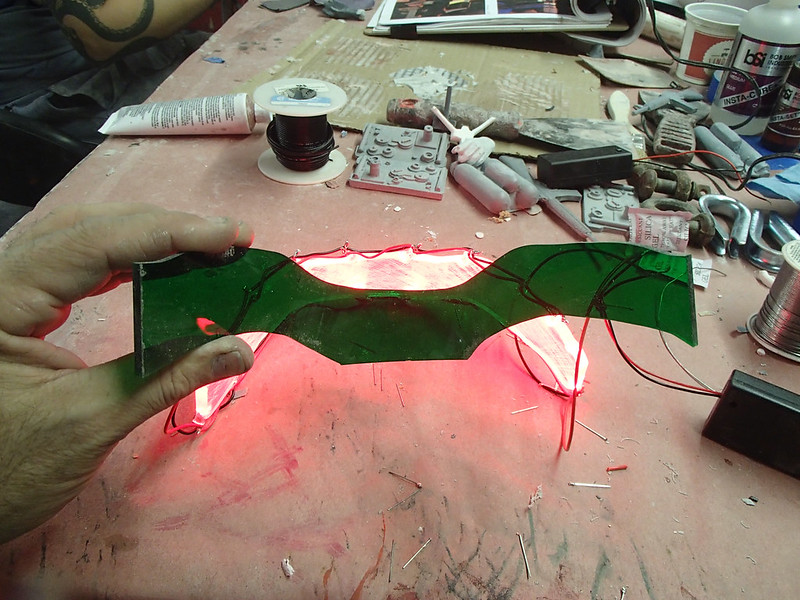
Umm.

To make sure she would be able to see out, I added a layer of green tinted acrylic (which filters out red light) and installed it inside the helmet between the red lights and the wearer's face:
Helmet Lighting Test Green Filter

Here's an initial test fitting with the lights in place:
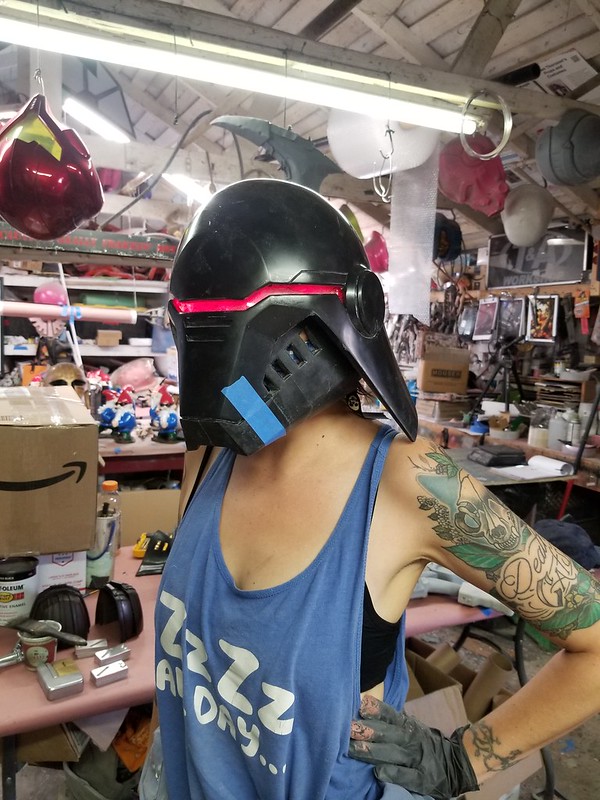
20200507_173240

My assistant Rachel spent a few minutes walking around the shop and managed to avoid knocking into anything (or at least no more than she'd usually stumble into) so it seemed like it would work out:
Walkaround Visibility Test

I was mostly happy with it:20200507_171746

The main disappointment was that the rough scratches from the hacksaw blade made for an uneven light distribution and blurry spots in the wearer's vision.  To make up for this, I hit up my friend Jesse at Puzzlebox Props for some time on his laser cutter.  He made me some much nicer clear acrylic pieces with this very uniform crosshatching pattern etched into the surface:Lighted 2nd Sister Visor Cut
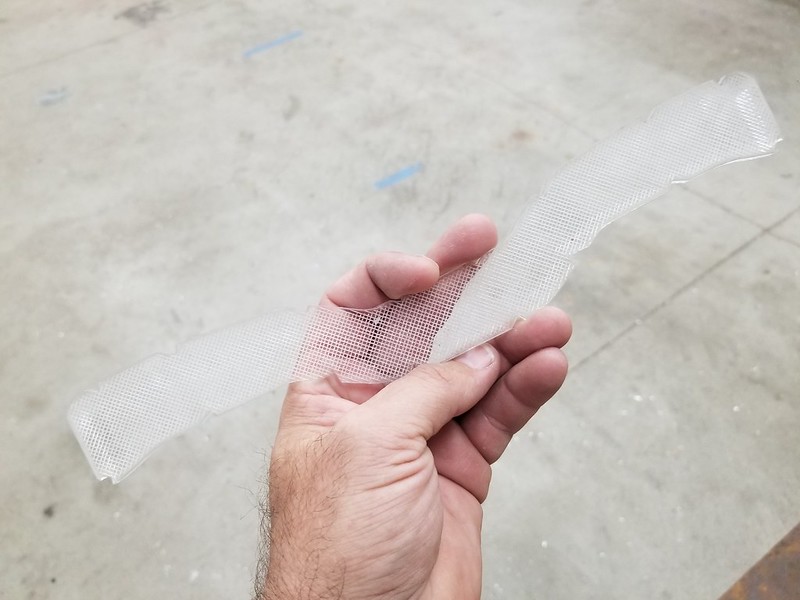
To get these pieces to fit into the helmet, they were placed in a toaster oven for a few minutes until they were warm enough to flop into place in the helmet:

Cooking Acrylic 1

It's important to pay attention during the heating process.  Cooking them for just a bit too long will cause acrylic pieces to bubble up and become completely useless.  So you have to watch it pretty close and check from time to time to see if it's flexible enough to force into place.  It's not a very interesting show:
Cooking Acrylic 2

But as soon as it gets warm enough to form, I lay it in place inside the helmet and it's left to cool:
Acrylic Place to Cool

That's what it looks like when it's formed in time.  If it's overcooked, it turns into this hot mess:
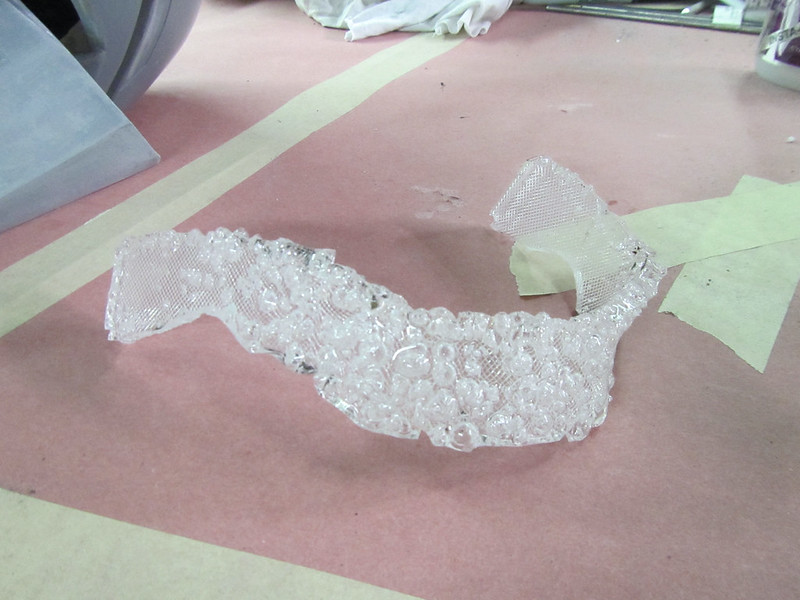
Overcooked Visor Acrylic

Once the parts were formed other refinement was to notch the bottom edge with a sanding drum so it would fit a bit better where the cheekbone area was inside the helmet:
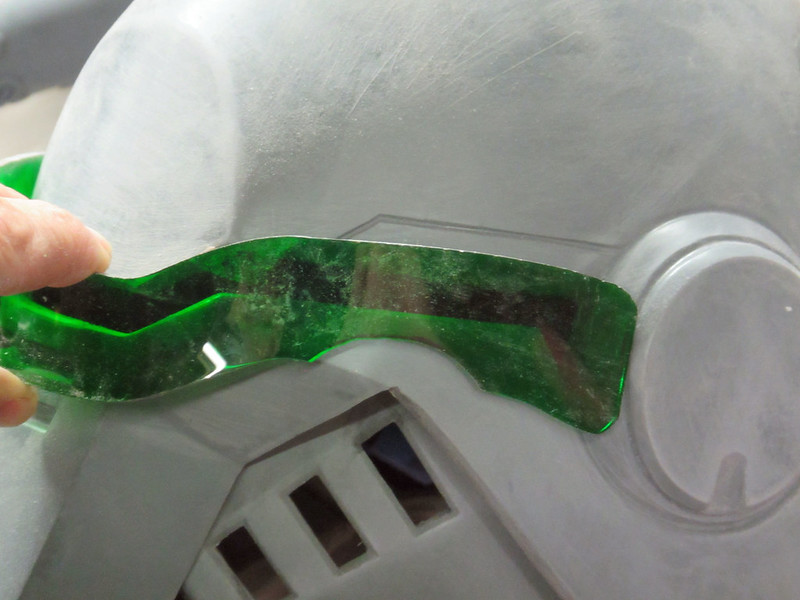
Inner Visor Notched

With all of the forming and trimming done, it was time to round up the necessary tools for the lighting:

Lighting Workstation 1

The wire strippers are one of the handiest things I've bought for my limited electronics work.  Next to them is a pair of wire cutters for speedy cutting of wires and nipping off the ends of the LED leads.  Needle-nosed pliers turn out to be useful for undoing the occasional screwup in the assembly phase.  The soldering iron is for soldering the connections together and the hot glue gun lets me do a quick and dirty version of covering any exposed elements and potting the wiring so I don't have to worry about something getting bumped and causing a short later.

Before soldering any LEDs into place, I made it a point to mock up a breadboard circuit first.  I also have a handy LED tester that lets me check each of the LEDs before I inadvertently wire in a burnt-out one that missed the trash can:Lighting Workstation 2
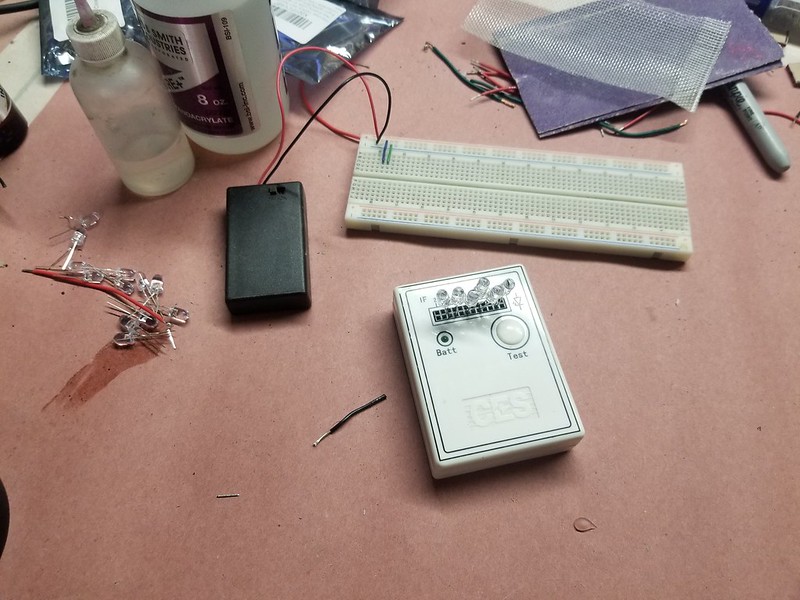
With a couple of bags of LEDs, spools of hook-up wire, and a stack of battery boxes at the ready, it was time to get started.  Here's what the breadboard mockup circuit looked like:Visor light circuit breadboarded

What you're looking at is sixteen LEDs wired up in eight parallel sets of pairs in series.  If you're the kind of nerd that needs a circuit diagram instead, it looks like so:


Stretched out for clarity, the soldered version looks like so:

Lights Wired

With the lighted circuit all wired up and tested, the LED were glued into the notches on the acrylic visor with a few drops of CA glue:
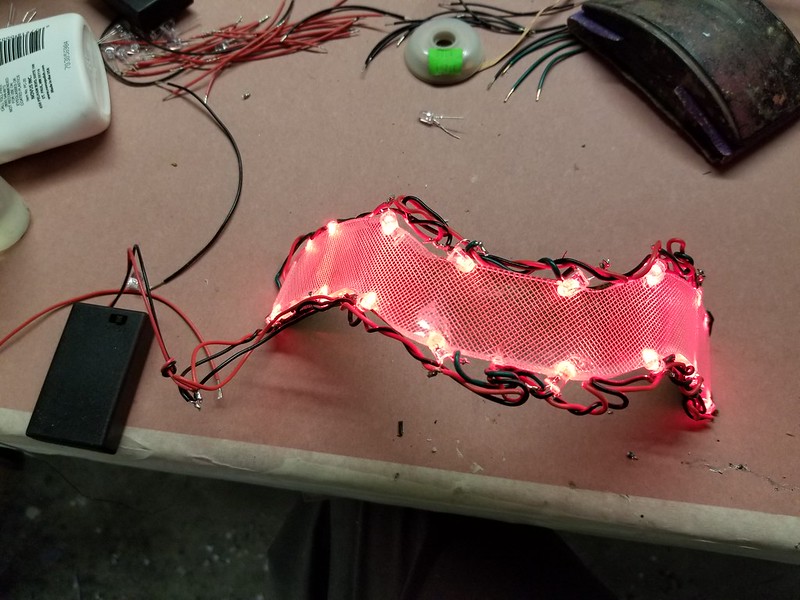
Visor lights wired

Someone out there is going to ask why I don't have any resistors in the circuit to protect the LEDs.  I'd like to say that I did all the math and it turns out that with the voltage drop across each diode the serial pairs are able to handle the current without any problem.  The real truth of it is that after my initial breadboard test with all sixteen LEDs in parallel just made sixteen neat little popping noises and corresponding puffs of smoke, I just kept trying different layouts until I was able to get the whole thing as bright as possible without letting any of the magic electron smoke out of the wires.  This version of the LED array stayed lit for seven straight hours without dimming or burning out any LEDS, so I'm confident it'll work just fine.

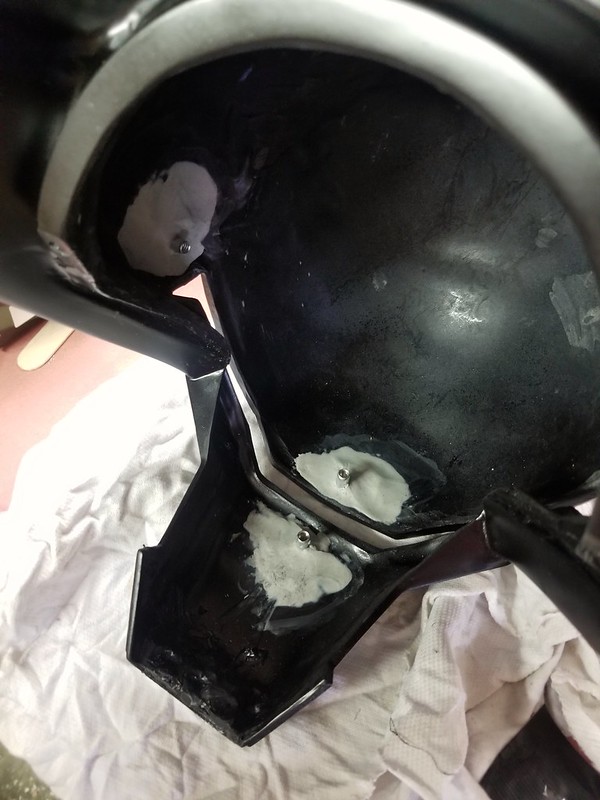
To install them in the helmet, I needed an option that would make them removable later in case anything ever goes wrong with the wiring. So I started by gluing in a series of T-nuts so I could just bolt them in: 

Light Mounting T-Nuts 


Later I refined the plan to use four T-nuts instead of three. Once they were glue in, I used Magic Sculpt epoxy putty to reinforce their attachment points:
Light mounting inserts 


With the lighted visor and interior green tinted layer in place, it looked like so:

Visor lights mounted 

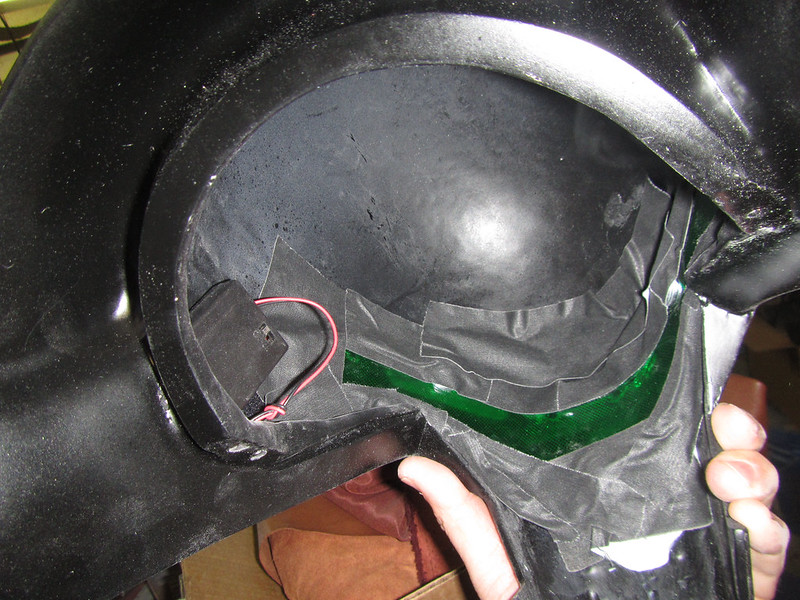
The remaining light leaking in around the edges was blocked out with judicious application of gaffer's tape after everything was painted: Lights Taped Off
But I'm jumping ahead...

Lighting the Forearms

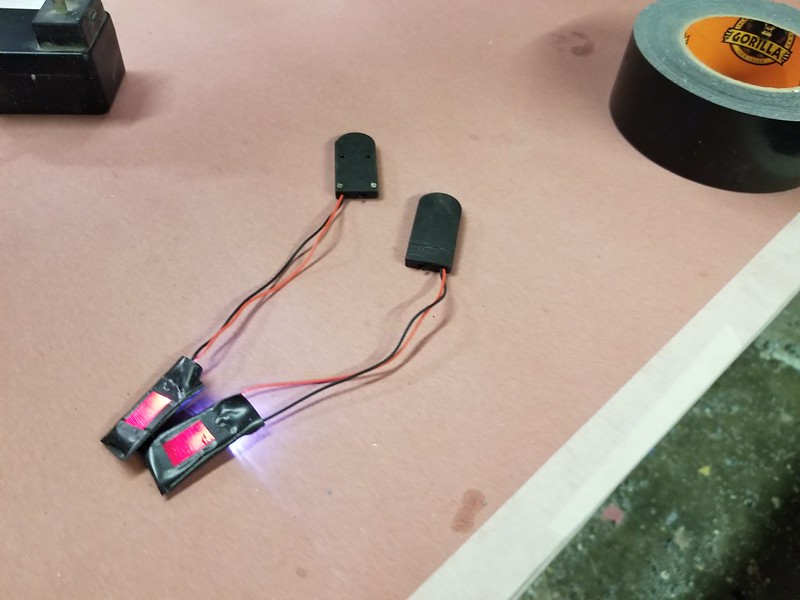
For the little lights in the bracers, I had an even simpler approach. Since space was at a premium, I couldn't put in very big batteries. After an exhaustive research and development process, I determined that the optimal circuit would use two CR2032 button cell batteries and a single high-intensity LED. Actually, that's not true. In reality, I had a bunch of these handy two-cell battery holders wired up with built-in switches on hand and it was really easy to attach a single LED and glue it to the end of a piece of red-tinted acrylic to make the light I needed:
Bracer Lights

Once the painting was done, they'd fit nicely into the square hole on the bracers.  Gaffer's tape contains any light leaks on the inside and a patch of velcro would keep the battery pack from rattling around.

The end result looked like so:

Lighted Set 2

Again, I'm jumping ahead.

Painting and Final Details


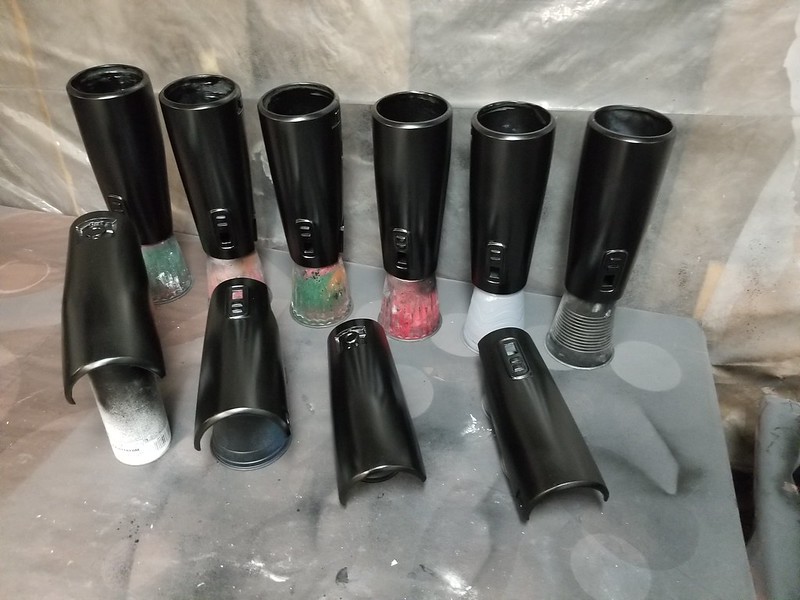
When it comes to prop and costume making, the biggest problem I have is that I almost never make just one of anything.  This same thing held true here.  The helmets were trimmed and prepped and primed and given several coats of satin black:Helmet Painting Progress

Same goes for the shoulders:Shoulders painted

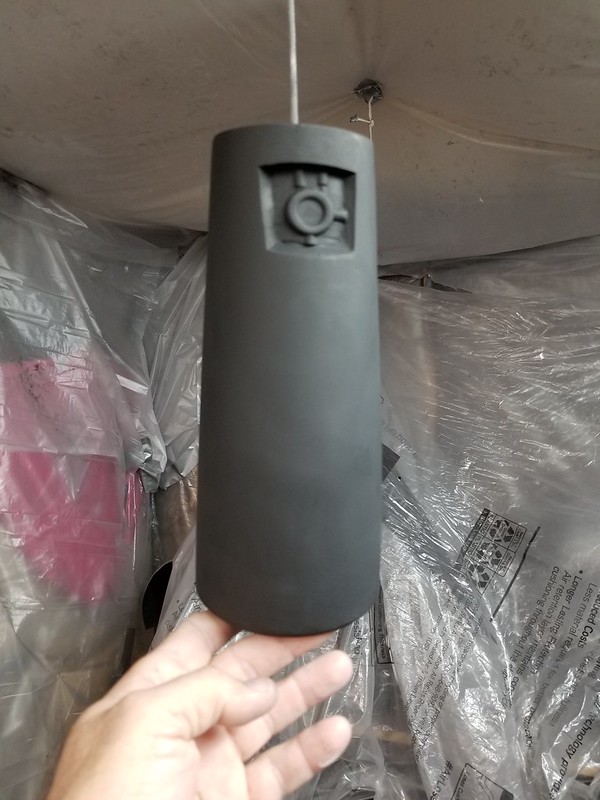
The bracers too:
Bracers painted


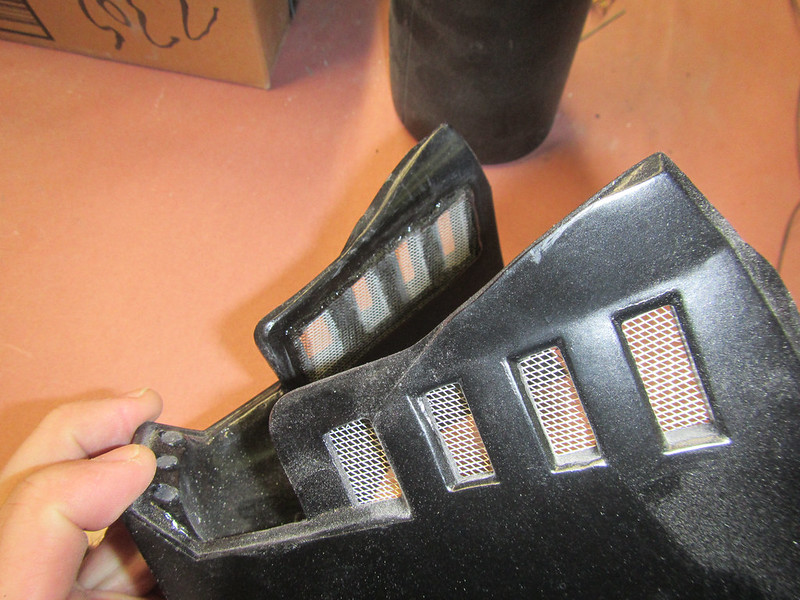
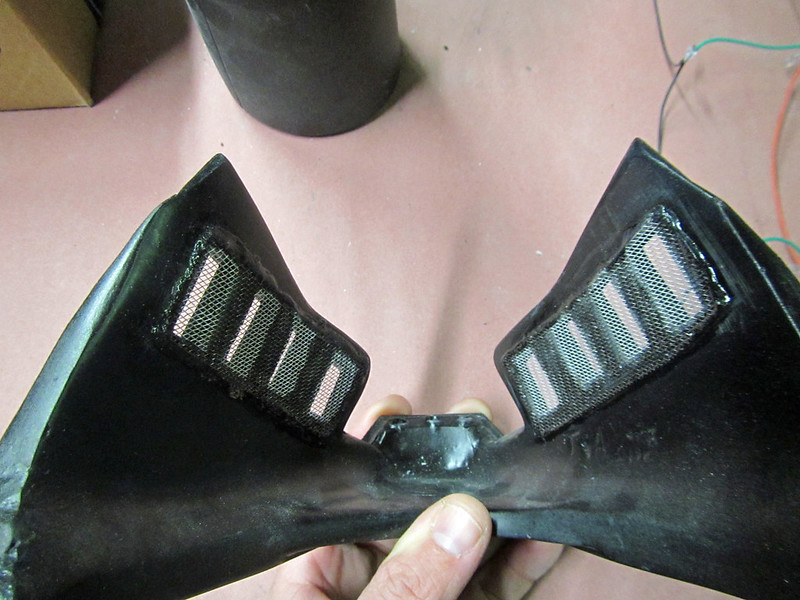
With the painting finished, the final touch was to add a bit of metal screen door mesh to the holes in the cheek vents:
Cheek Mesh Installed 2

Cheek Mesh Installed 1


So with all that said and done, here's the Lady Shawnon trying on the parts all finished and waiting on the soft parts of the costume to be sewn up:
Fitting progress

So now it's just a matter of getting the soft parts and the lightsaber sorted out.

Stay tuned...
NOTE: Some of you more astute readers may have noticed that in the first photo my assistant Rachel has no tattoos and in the lighting test photos my assistant Rachel is thoroughly festooned with them.  These are two different women.  Both are named Rachel.  It's only occasionally cause for confusion.

Saturday, September 26, 2020

Second Sister Costume from Jedi: Fallen Order Part 2: Prototyping and Molding the Other Hard Parts

If you're just tuning in, this is the second entry about building this woman's costume:
In-Game screenshot

That's the Second Sister from the video game Jedi: Fallen Order.  She's one of the Imperial Inquisitors on a mission to hunt down the remaining Jedi sometime between Order 66 and the beginning of A New Hope and she's a bit of a badass.

In case you missed it, my last article about this build covered the prototyping, molding, and casting of her helmet.  You can read it here: LINK.  In that case, I started with the in-game digital models of the character and made a few tweaks to make it wearable for an actual, real-life human being.  With that done, it was time to move on to the other hard parts of the costume.

Just like the helmet, the shoulders, rank bars, and belt buckle were printed from the game model as well.  Here they are after a bit of sanding, smoothing, priming, and lightish red gloss paintjob:
2nd Sister Shoulders, Buckle, and Rank Bars

Molding the rank bars and belt buckles was a simple matter of making a couple of plain block molds in RTV silicone rubber:
Block Molds for buckle and rank bars

The parts were cold cast in aluminum for a convincing metallic surface.  "Cold casting" is a pretty neat way to get a metal finish without any paint involved.  The secret ingredient?  Real metal.  In this case, I'm using atomized aluminum powder which I pick up at Douglas and Sturgess in Richmond, CA.  If you need most anything in the way of art supplies, check out their website at artstuf.com.

I usually start by either dusting the inside of the mold or, in the case of little pieces like these, completely filling the molds with the atomized metal powder:
Dusting the Mold

Then I pour the powder back into the container and tap the mold a few times to remove any loose metal dust:
Emptying the Mold

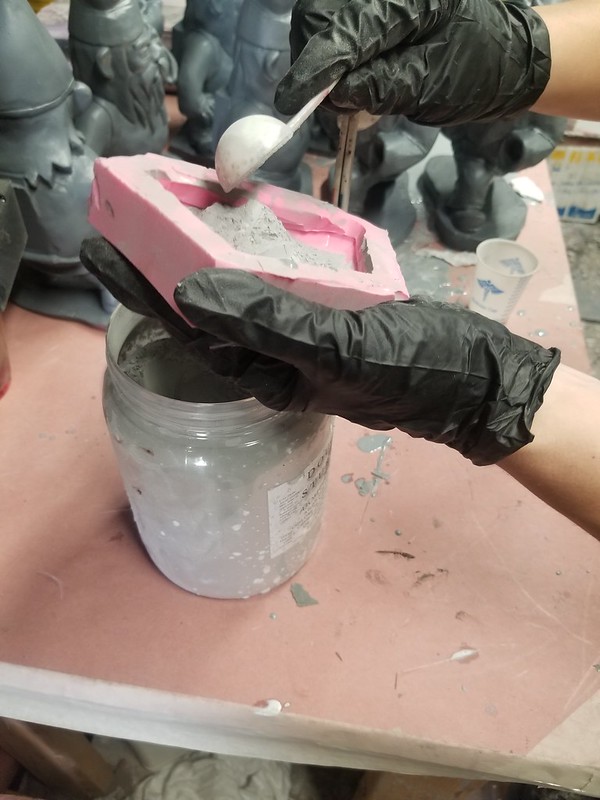
The next step is to mix up a small batch of resin with as much metal powder as I can add in and still be able to pour it into the mold:
Mixing Resin with Aluminum Powder for Cold Casting

In this case, I'm using Smooth-Cast 300 casting resin and some black urethane pigment (I think it's Smooth-On's "so strong" color, but I'm not sure).  I start by mixing 1 fluid ounce of part A with 1 fluid ounce of part B with a few drops of black pigment, then add about one and a half tablespoons of atomized aluminum and stir thoroughly.  Then the pouring:
Gently Pouring for Cold Casting

The goal is to mix it and pour as quickly as possible to allow the material as much time as possible to settle in the mold.  Any entrained air bubbles will rise to the top which is the backside of the parts, so nobody will see them.  More importantly, the heavier metal powder will have more time to sink to the bottom of the molds where it will be more visible on the front of the parts.

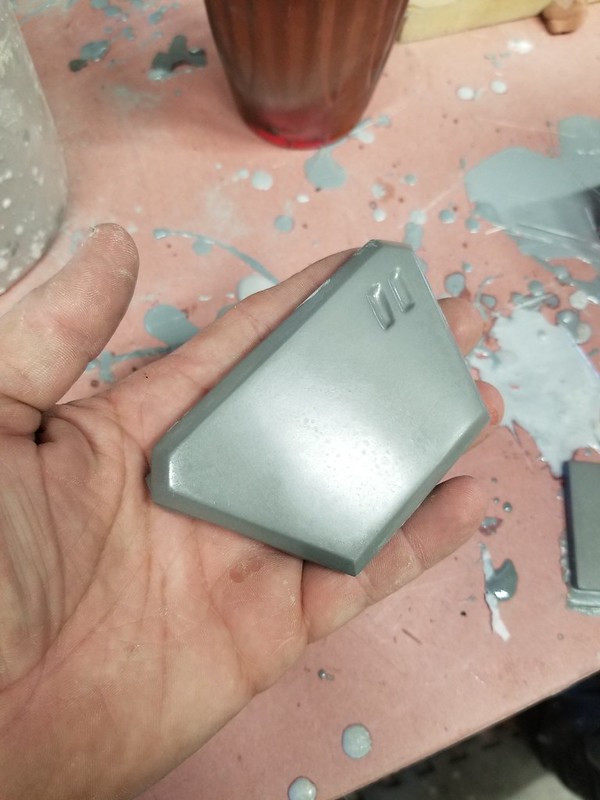
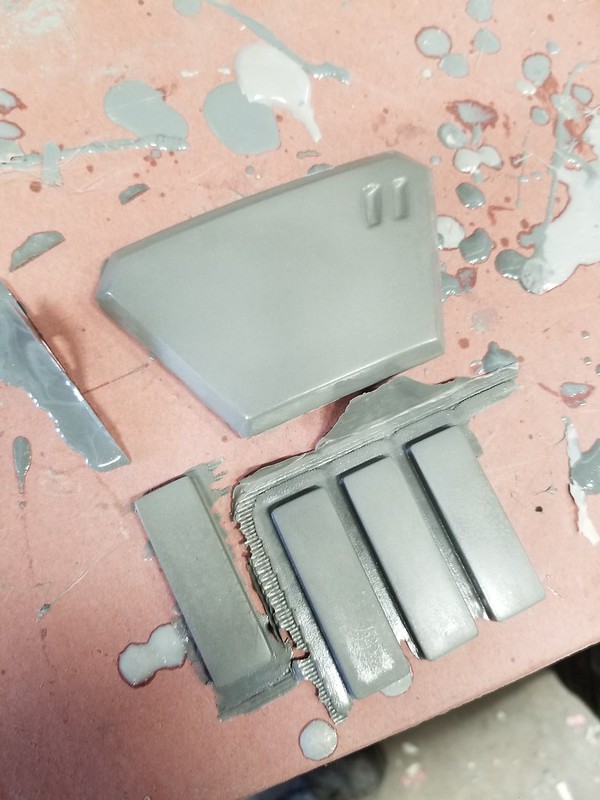
Once the resin has cured, the parts are pulled out of the mold and don't look like anything special at all:
Raw Belt Buckle Pull

Raw Cold Cast Parts

This is because there's still a little bit of resin film on the outside surface covering the metal powder mixed into the parts.  Now it's time to gently buff the surface with some fine steel wool to bring out the metallic shine:
Buffing Belt Buckle with Steel Wool

To facilitate mounting them onto the tunic, the rank bars had single bar ribbon holders from a military surplus store glued to their backside:
2nd Sis Rank Bar Pin Backing

Here's a set of parts all buffed and finished.:
2nd Sis belt buckle and rank bars 
The bracers and shoulder plates were a tiny bit more complicated to make.

For the bracers, I started with a 3D model that was made by another fan on the Second Sister Build Group on Facebook.  She did a pretty amazing job with the initial shape, but after poring over the reference images, I soon found myself making changes to almost every part.  I beefed up the wrist end, changed the profile of the inner arm, and more.  You can see the beginning of the modifications here:
2nd Sister Gauntlet Bodyshop Progress 1

The dark greay parts are the original printed bits.  The light pink/beige bits are the Bondo modifications.  I also opted to join the halves of each of them to make a single part to simplify molding:
20200730_223016

After a few rounds of sanding and filling, the bracers were ready for primer:
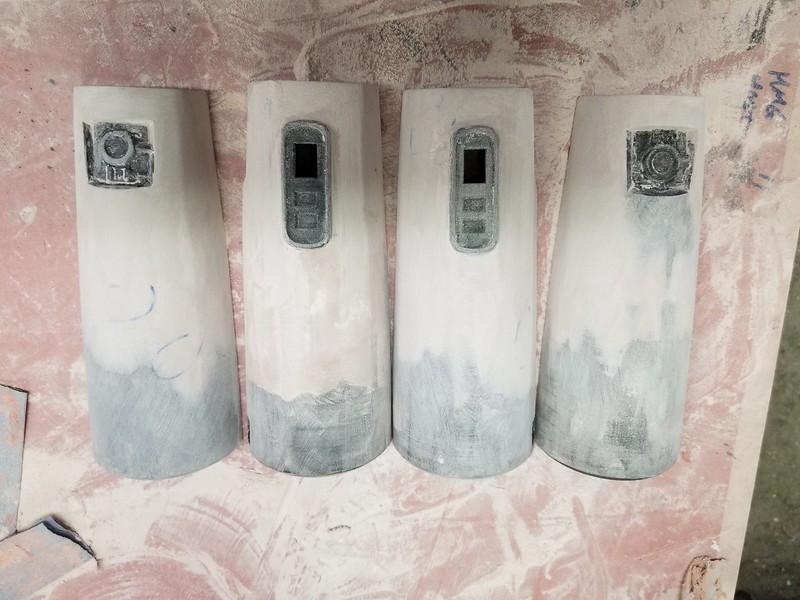
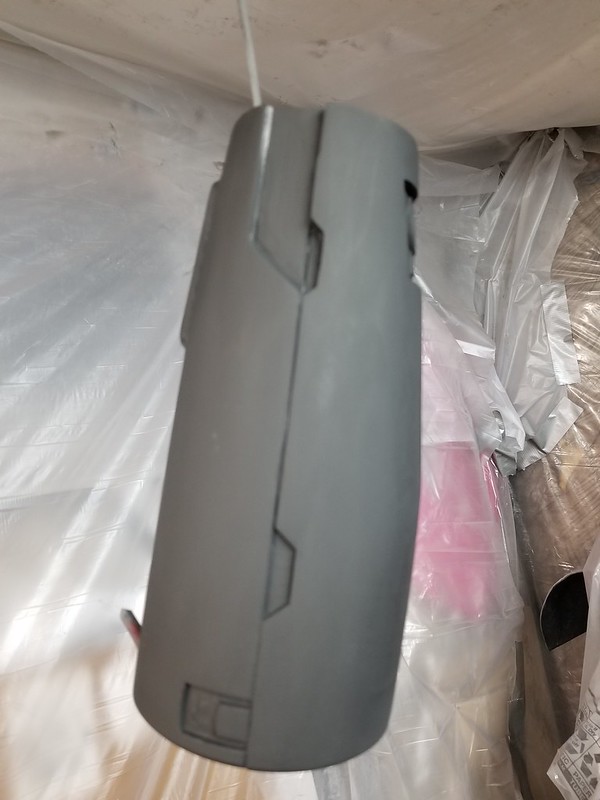
Primed Bracer Prototype

Primed Bracer Prototype

Once I was happy with the shape and overall smoothness, I gave them both a coat of gloss lightish red paint and let them dry for a couple of days prior to molding.  

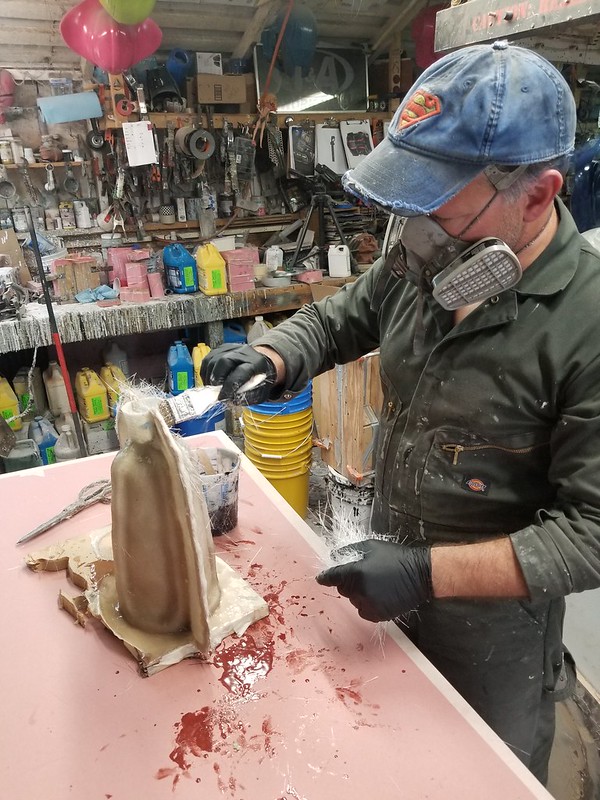
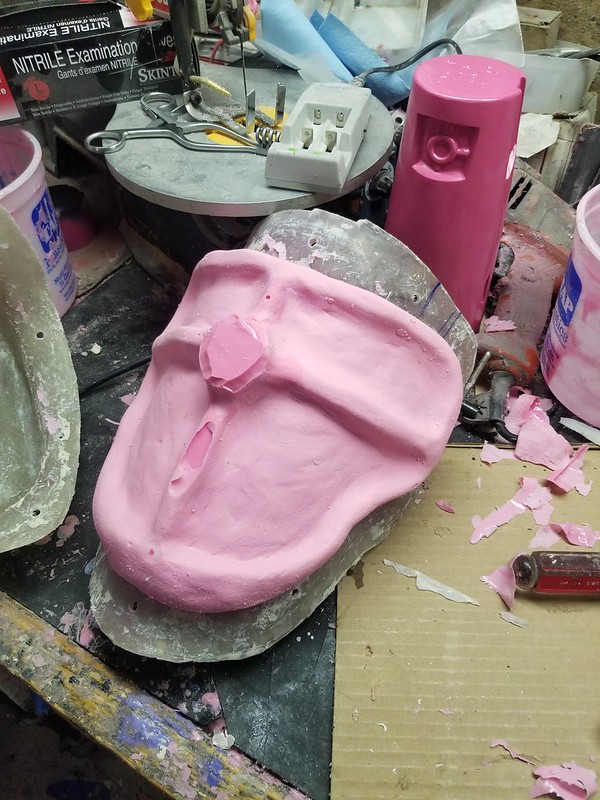
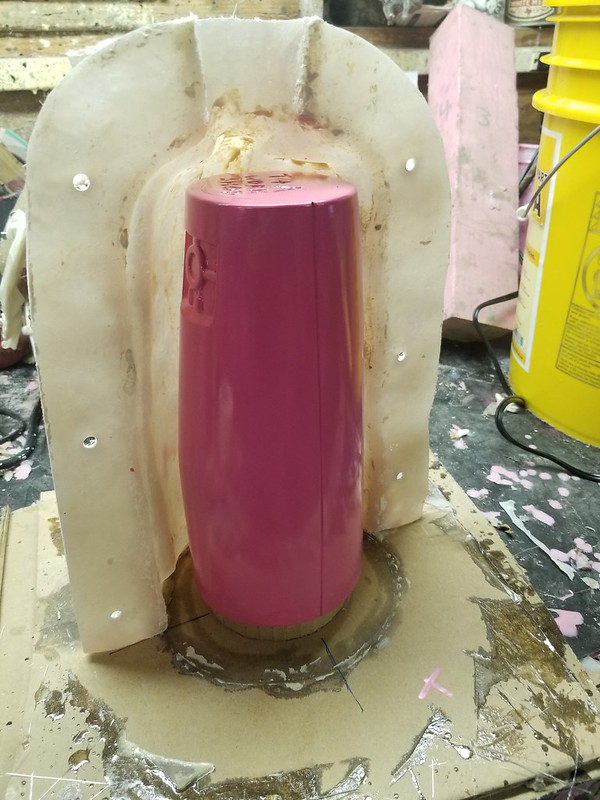
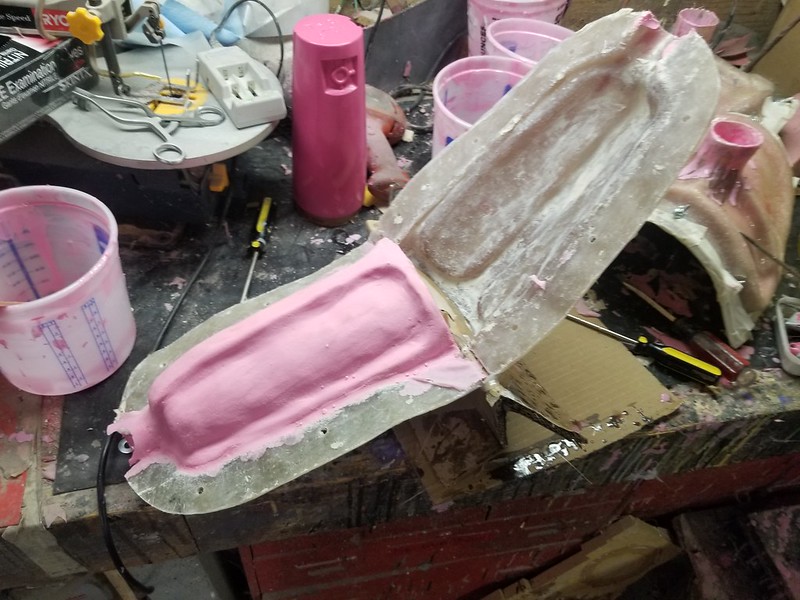
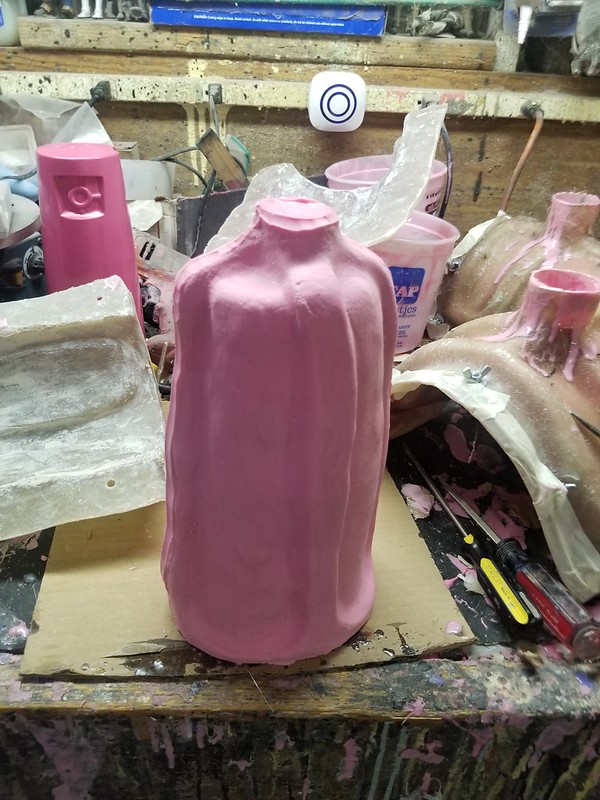
Just like I did with the helmet, the bracers were wrapped in plastic before a layer of clay was built up over them and a fiberglass mothermold was laid up:
Mothermold in Progress

Here's the first half of the mothermolds laid up:
First Half of 2nd Sister Gauntlet Mothermolds Laid Up

At the same time, I was already in the process of laying up the mothermolds for the shoulders.  Here's all four parts when the fiberglass mothermolds were laid up:
Shoulder and gauntlet mothermolds for 2nd Sister

Once the mothermolds were trimmed and drilled, it was time to start pouring in the silicone:
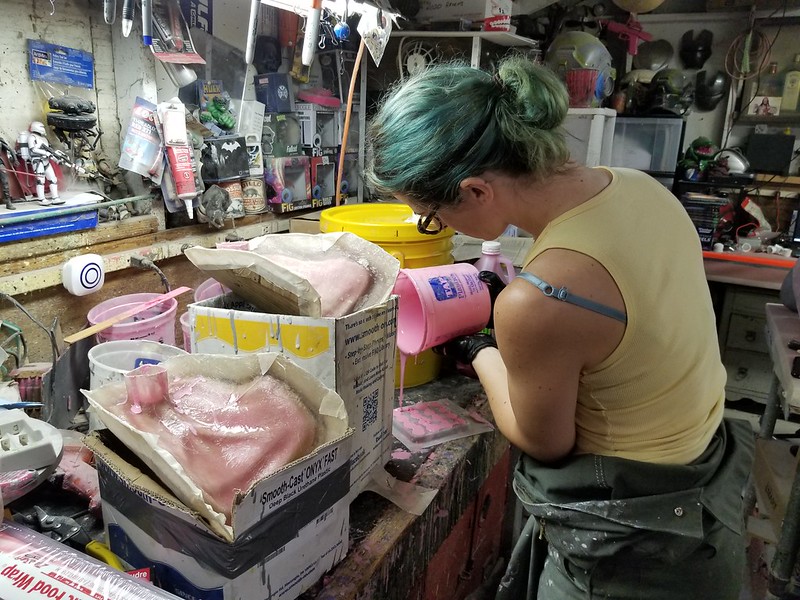
Pouring Rubber for 2nd Sister Shoulder Molds

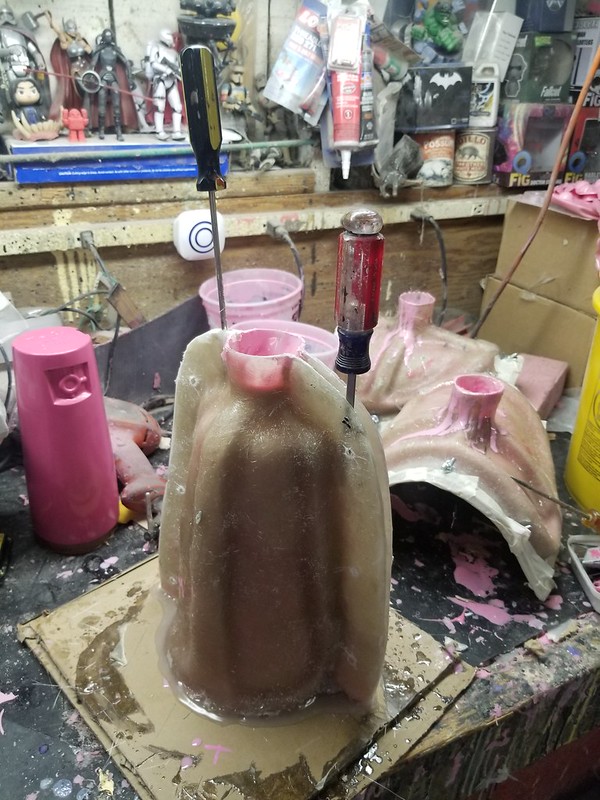
I didn't take nearly enough photos of this process, but if you've been following my blog for a while or even read the article about molding the helmet, you've seen it before.  The shoulders were done in two sections, the inner and outer portions:
2nd Sister Shoulder Mold Rubber Jacket

Once the second half was cured, the rubber was peeled apart and the prototype was removed:
Demolding 2nd Sister Shoulder PRototype

Here's a shot of the first half of one of the bracers' mothermolds being placed:
Trimmed Mothermold in Position

After placing the second half and sealing up the edges with hot glue, the void was filled with silicone and left overnight to cure.  The next morning I removed the hot glue and gently pried the two halves of the mothermold apart:
Rubber Cured and Flange Drilled

Here's the rubber jacket after removing one of the mothermold halves:
Separating Mothermold

After a little love with a knife, the thin flashing edges were removed:
Cured Rubber Jacket out of the Mothermold

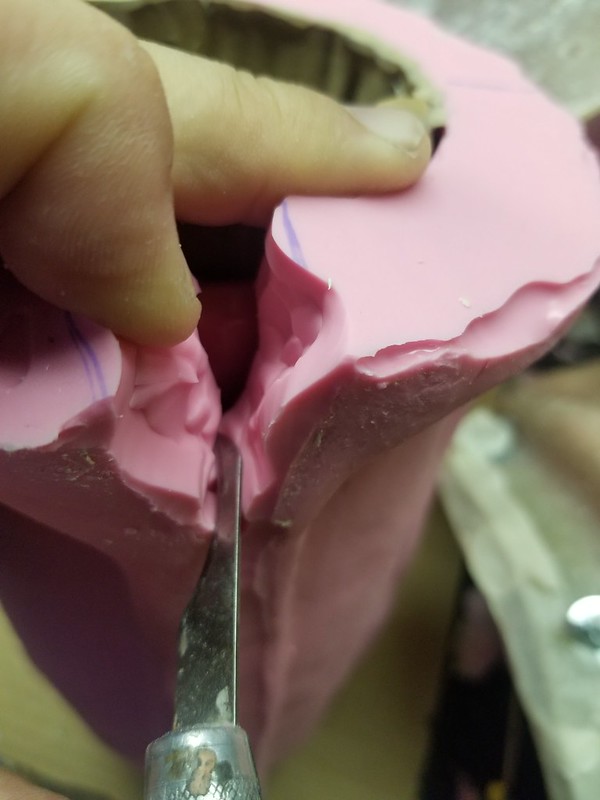
Next, I dug up one of these nasty, hook-shaped knives to split the mold jacket:
Hook-Shaped Blade for Jeweler's Cut

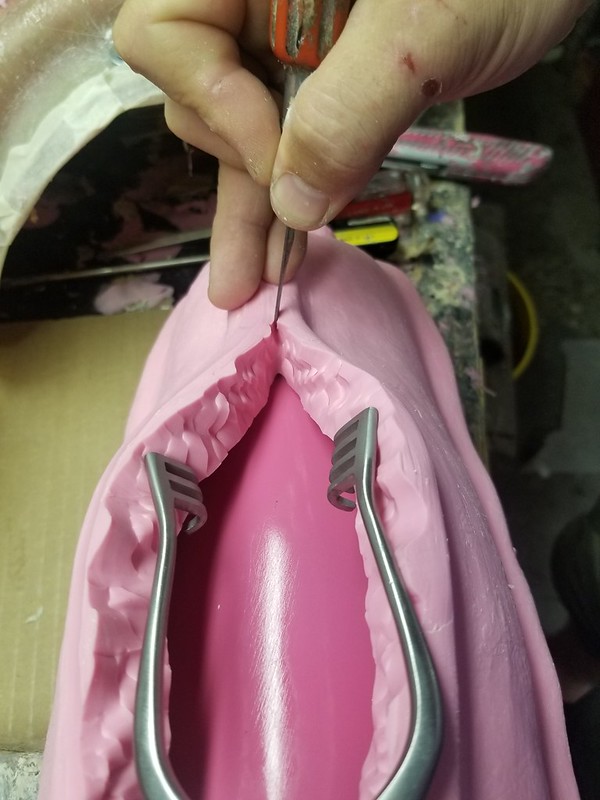
In order to ensure that the cut will close securely during casting, I used a "jeweler's cut."  This method is designed to make the seam line as straight as possible along the part while making the cut itself as uneven and wavy as possible like so:
Starting Jeweler's Cut on 2nd Sister Gauntlet Rubber Jacket

As the cut progresses along the length of the prototype, I use a surgical retractor to keep the rubber pulled to the sides and hold some tension while I'm cutting:
Jeweler's Cut on 2nd Sister Gauntlet Rubber Jacket

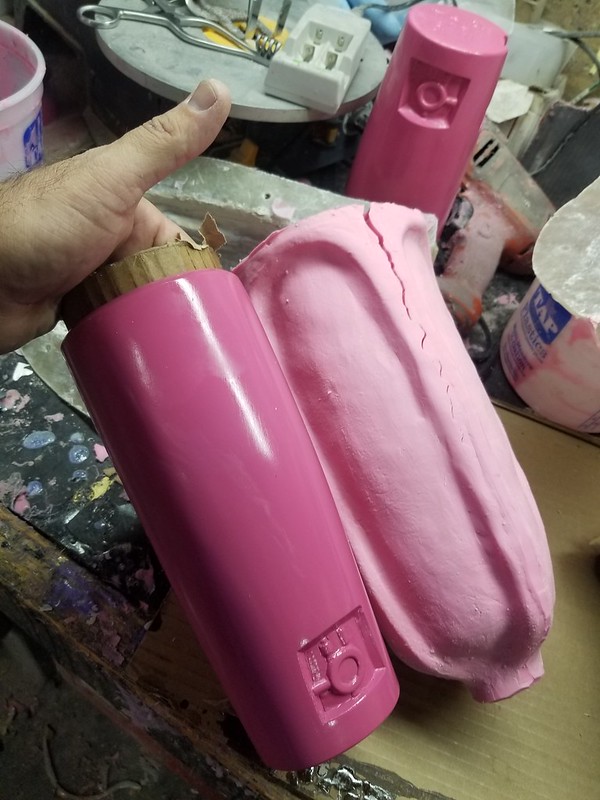
Here you can see the demolded prototype after it was removed from the neatly cut rubber jacket:
2nd Sister Gauntlet Prototype Demolded

This was done for the left and right bracer molds and then they were reassembled in the mothermolds, bolted together, and ready for casting:
2nd Sister Gauntlet Molds Ready

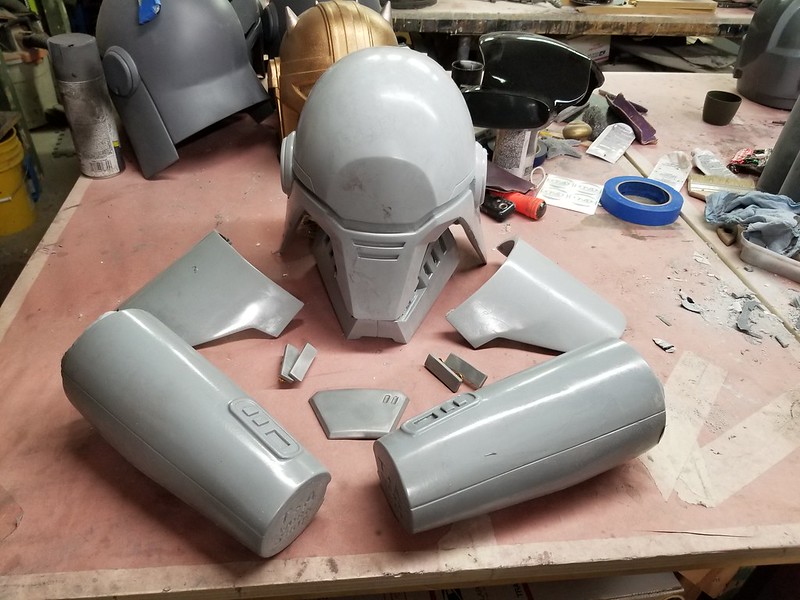
With that done, the shoulders were solid cast in greay tinted urethane resin and the bracers were rotocast in two layers of Smooth-cast 300 backed with a layer of Smooth-cast Onyx for rigidity.  With that done, all of the hard parts of the costume were maked:
Raw Set of 2nd Sister Casts


Tune in next time when I'll detail the trimming, prepping, painting, assembly, and wiring up lights for the finished parts.

It turns out they need finishing.  So far they don't quite look the part yet:
Awkward Test Fitting

Progress continues...